How do I know the dates for upcoming assignments and tests?
Question
How do I know the dates for upcoming assignments and tests?
Answer
There are two places on your Schoology home page that pull together due dates across every course, so you don't have to check each class separately.
1. The To Do widget
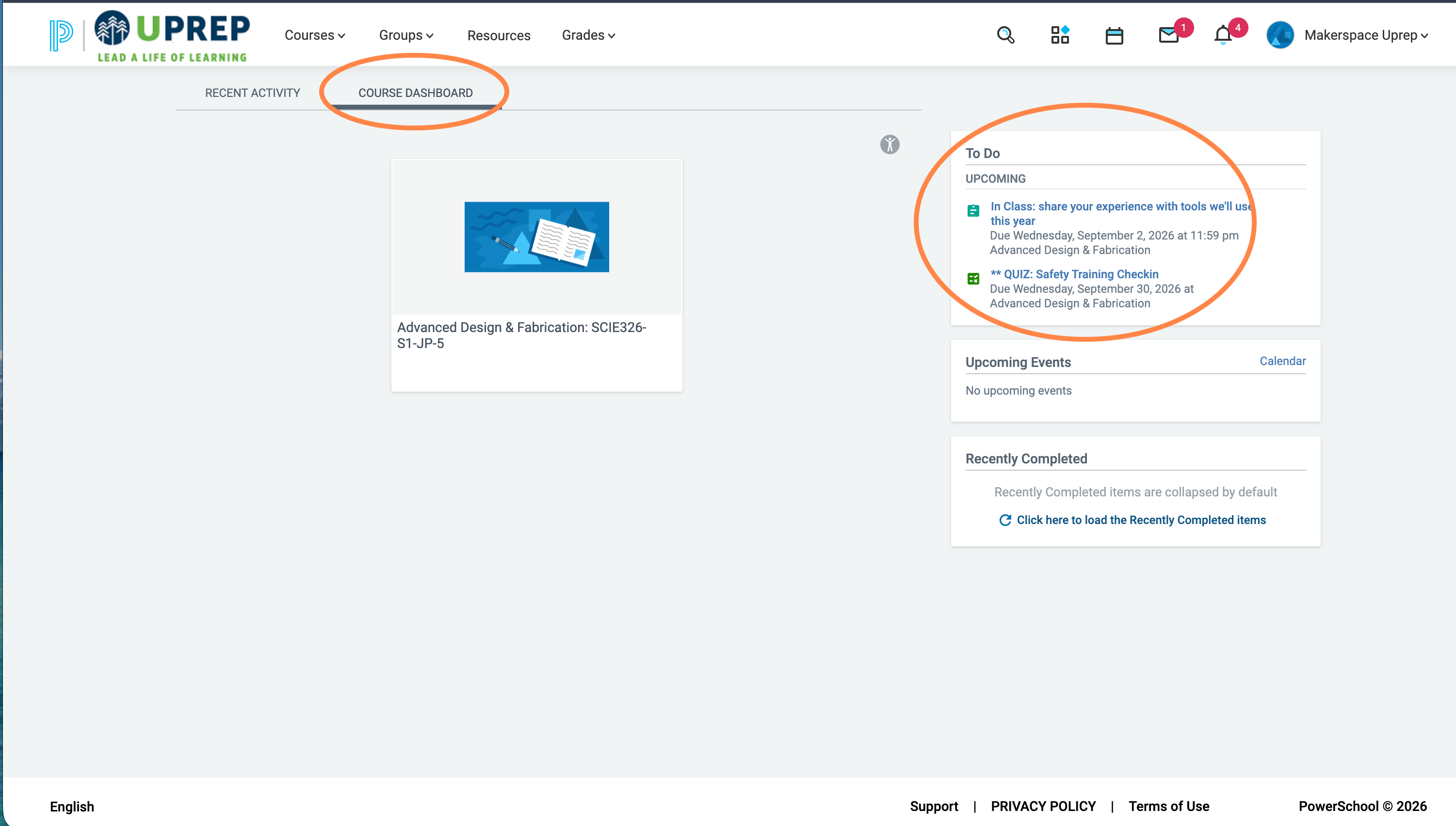
On your Schoology home page, click Course Dashboard (next to Recent Activity). The To Do box on the right lists your upcoming assignments and tests, with due dates and which course each one belongs to.
2. The Calendar
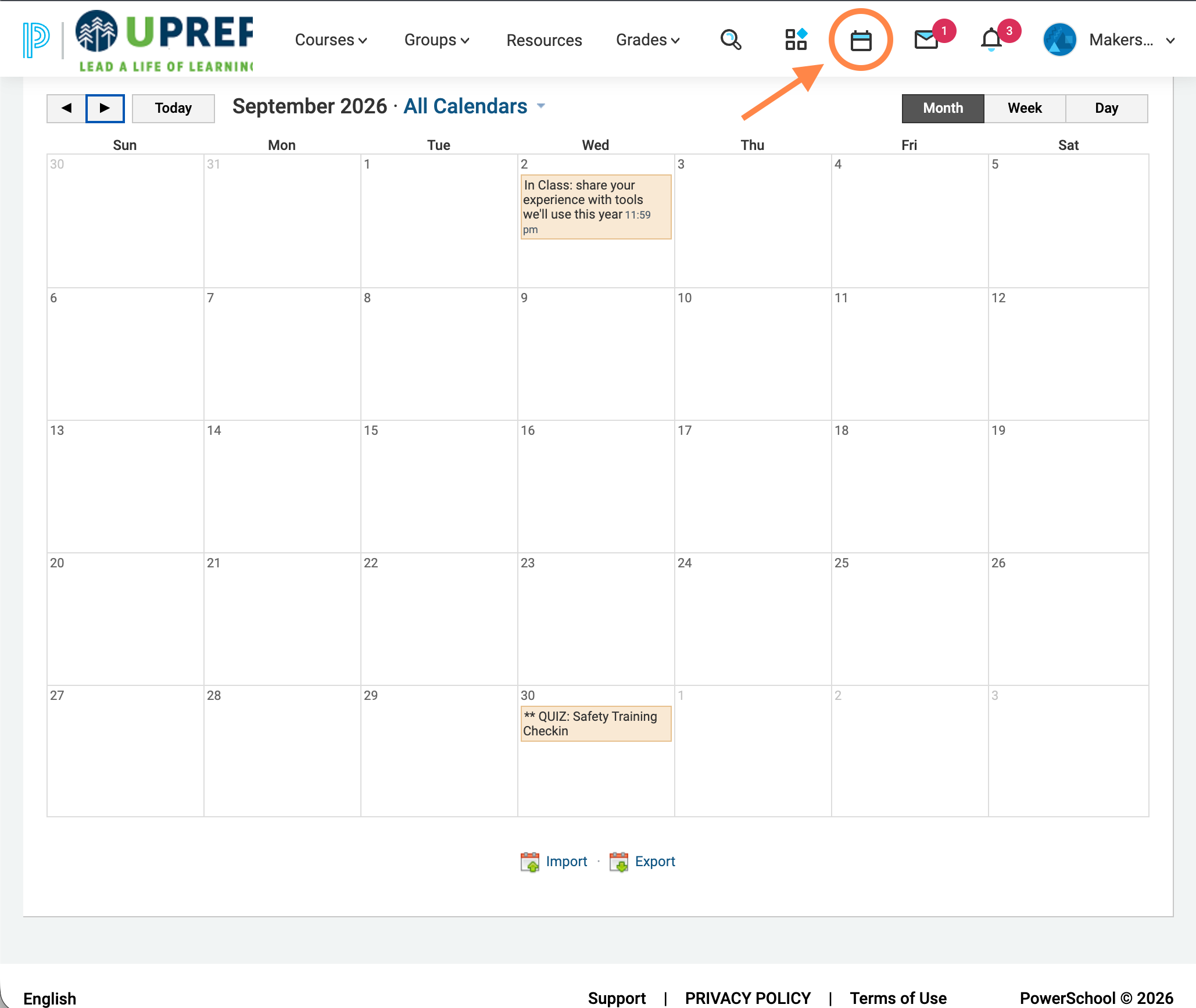
Click the calendar icon in the top menu bar to see every upcoming assignment and test plotted on a monthly calendar, across all of your courses at once.